
Design to HTML Conversion: 11 Areas Impacted Beyond Design
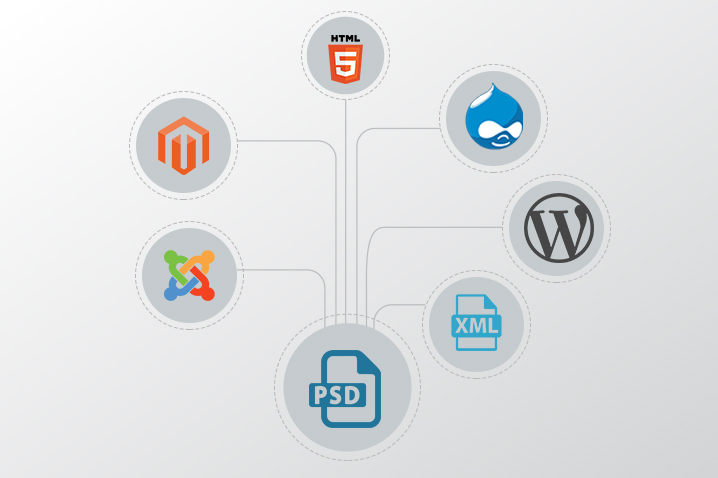
Design to HTML Conversion In 2026, the transition from design to code has evolved far beyond simple slicing. While the core goal remains the same—transforming a visual concept into a functional reality—the technical stakes have shifted. Today, we deal with “Design-to-Code” (D2C) workflows rather than just “PSD to HTML.”
If you are looking for a conversion partner today, you must realize that their work dictates your site’s performance in an AI-driven, mobile-first world. Here are the ten key areas affected by modern design conversions, updated for the current digital landscape.
1. Technology Integration (The Modern Stack)
Even if your source file is a PSD or a Figma link, the output varies wildly based on your infrastructure. Modern conversions aren’t just about static pages; they are about Component-Based Architecture.
-
PSD to Next.js/React: Creating reusable UI components.
-
PSD to Headless CMS: Connecting designs to Contentful or Strapi.
-
PSD to Shopify/E-commerce: Building high-conversion liquid templates.
-
PSD to Tailwind CSS: Using utility-first frameworks for rapid scaling. Hiring a generalist is no longer enough; you need a partner who understands your specific JavaScript framework or CMS ecosystem.
2. Modern Technology Stacks
The “PSD to HTML” label is now an umbrella for modern frontend frameworks. Today, conversion services don’t just deliver files; they integrate directly into your stack.
-
Headless Architectures: Converting designs into components for Next.js, Nuxt, or Astro.
-
Design-to-React/Vue: Using tools like Anima or Builder.io to generate functional components with props, not just flat HTML.
-
Advanced CMS Sync: Direct “Figma to Webflow” or “Figma to Shopify” syncing that bypasses the manual coding phase entirely.
3. AI-Driven Search Engine Ranking
Search engines like Google now use AI to judge your site’s “experience” signals. A conversion expert today must code for Semantic SEO. This means using the correct HTML tags so that AI search agents can “read” your layout as a human would. If the coding style is outdated, search engines may fail to understand your content hierarchy, leading to a direct drop in organic traffic.
AI-Native SEO and Semantic Structure
In 2026, search engines don’t just look for keywords; they analyze UX signals and semantic intent.
-
Automated Schema Markup: Modern conversion services use AI to automatically inject Schema.org JSON-LD, making your content “understandable” to AI search agents like Gemini and Perplexity.
-
Semantic Integrity: Beyond simple tags, the code must reflect the visual hierarchy so that assistive technologies and search bots “see” the design’s importance exactly as a human does.
4. Web Standards and “Clean Code”
W3C validation is still the baseline, but “clean code” in 2026 means minimalism. Automated conversion tools often produce “code bloat”—thousands of lines of unnecessary CSS. A professional conversion ensures your code is lean, which prevents “code-to-content” ratio issues that can penalize your site’s authority and indexing speed.
Web Components and Scalability
We have moved beyond simple W3C validation.
-
Atomic Design: Conversions now focus on creating a Design System—a library of reusable web components ($Button$, $Card$, $Hero$) rather than isolated pages.
-
Maintainability: If the conversion isn’t modular, updating your site in six months will be a nightmare. High-quality services now deliver a “Living Style Guide” alongside the code.
5. Interaction to Next Paint (Core Web Vitals)
We no longer just measure how fast a page “loads.” We measure how fast it responds to a user’s click. This is known as INP (Interaction to Next Paint). If your conversion service uses heavy, unoptimized scripts to achieve design effects, your “Page Speed” score will crater. Proper conversion involves optimizing the “Critical Rendering Path” to ensure the site feels instant.
Core Web Vitals 4.0 (Performance)
Page speed is no longer just “fast loading”; it’s about Interaction to Next Paint (INP) and Cumulative Layout Shift (CLS).
-
Image Next-Gen Formats: Automatic conversion of PSD assets to AVIF or WebP with responsive “srcset” attributes.
-
Critical CSS: Expert conversions ensure only the CSS needed for the “above-the-fold” content loads first, achieving near-perfect 100/100 Lighthouse scores.
6. Multi-Surface Responsiveness
Responsiveness has moved beyond just “Desktop and Mobile.” Your design must now be Fluid.
-
Container Queries: Modern code allows elements to change based on the size of their container, not just the screen.
-
Foldable & Ultrawide Support: Designs must now account for dual-screen phones and massive 8K monitors. If your service provider isn’t testing across a device cloud (like BrowserStack), you are likely losing a significant portion of your audience.
-
Auto-Layout Mapping: Services now use Figma’s “Auto Layout” to ensure the code stretches and shrinks perfectly across everything from a 4-inch smartwatch to an 80-inch 8K screen.
- Dynamic Breakpoints: Instead of just “Mobile/Tablet/Desktop,” modern code uses fluid typography and container queries to adapt to the specific container size.
7. Cross-Browser and Cross-Platform Compatibility
While Chrome dominates, the “browser” is now integrated into apps (like the Instagram or LinkedIn in-app browsers). These “mini-browsers” often render code differently. A high-quality conversion ensures that your site functions perfectly inside social media apps, where a large portion of your “referral” traffic actually lives.
Accessibility (A11y) as a Standard
Accessibility is now a legal requirement in many jurisdictions, not an “add-on.”
-
ARIA Roles & Focus States: Professional conversions include full keyboard navigation support and ARIA (Accessible Rich Internet Applications) labels.
-
Color Contrast Validation: Automated checks during the conversion process ensure your brand’s color palette meets WCAG 2.2 standards.
8. Data Privacy and IP Security
In the age of AI, your design files are data. Whenever you upload a PSD to a conversion service, you are sharing your intellectual property.
-
NDAs and Data Sovereignty: You must ensure the company doesn’t use your unique designs to train their own internal AI models.
-
Secure Handoff: Professional firms now use encrypted repositories (GitHub/GitLab) rather than insecure email attachments to deliver your code.
9. Development Velocity and Launch Timelines
The “Waterfall” method (Design → Code → Launch) is too slow for 2026. Modern conversion services offer Continuous Integration. This means they can deliver the “Hero” section of your site for testing while they are still coding the footer. This parallel workflow prevents the “frustration of delays” mentioned in the past and allows for a much more agile marketing launch.
10. Holistic User Experience (UX)
A design is a static image; a website is an experience.
-
Micro-interactions: How does a button change when hovered? How does a menu slide out?
-
Accessibility (A11y): In 2026, accessibility is a legal standard. If your conversion doesn’t include screen-reader support and keyboard navigation, the “User Experience” is considered a failure for a large segment of the population.
11. Brand Authority and Digital Trust
Your website is your “Digital Storefront.” Small errors—a font that doesn’t load correctly, a pixel-alignment issue, or a flickering image—immediately signal “unprofessional” to a modern consumer. Pixel Perfection is the difference between a brand that looks like a global leader and one that looks like a temporary scam. Attention to detail in the conversion process is what builds long-term customer loyalty.
Summary Checklist for Choosing a Partner in 2026:
| Factor | What to Look For |
|---|---|
| Tooling | Do they support Figma Dev Mode and Auto Layout? |
| Code Quality | Is it modular (React/Vue/Tailwind) or just “Div Soup”? |
| Speed | Do they guarantee a Lighthouse score of 90+? |
| AI Integration | Do they use AI for testing and Schema generation? |
| Accessibility | Is WCAG 2.2 compliance included in the base price? |
PSD Conversions in 2026: The XHTMLCHOP Context
As you look toward 2026, providers like XHTMLCHOP (and similar established industry leaders) are evolving their service models to match the shift from “static slicing” to “dynamic development.”
If you are considering them or a similar partner for your latest project, here is how the “Ten Key Areas” specifically apply to their service model in the current landscape:
-
From PSD to Figma-First: While they built their reputation on PSDs, the 2026 standard is Figma. Ensure they are using Figma Dev Mode to extract variables and tokens rather than just visual measurements.
-
Modular Over Flat: In the past, you would get a single
style.cssfile. Today, you should expect Tailwind CSS configurations or CSS Modules that make your site easier to maintain. -
Core Web Vitals Focus: XHTMLCHOP’s traditional focus on “W3C Validation” has now expanded to Performance Budgets. Their code must not only validate but also pass the Interaction to Next Paint (INP) requirements.
-
Beyond WordPress: While they are experts in PSD to WordPress, ensure they are handling Headless WordPress (using React or Next.js frontends) if you want a truly modern, high-speed experience.
-
Interactive Fidelity: Ensure that the “Chop” includes modern JS transitions (like GSAP or Framer Motion) so the final site doesn’t feel “stiff” compared to the original design vision.
The All-in-One Conversion Powerhouse: From Design to Deployment
In today’s fast-paced digital ecosystem, XHTMLCHOP serves as a comprehensive “all-in-one” solution that bridges the gap between creative design and technical execution. Whether your source files are in Figma, Adobe XD, or traditional PSD, their expertise extends across a massive spectrum of modern web technologies. From building high-converting Shopify and Magento storefronts to developing sleek, data-driven React, Next.js, and Vue.js applications, they handle the heavy lifting of the development lifecycle. Their services cater to both standard implementations and highly customized WordPress or Shopify environments, as well as complex SaaS dashboards and Webflow migrations. By centralizing these diverse capabilities—ranging from legacy CMS support to cutting-edge JavaScript frameworks—they provide a streamlined workflow that ensures brand consistency, technical scalability, and a rapid time-to-market for any digital product.

Recent Posts
Follow us and get latest updates!
-
Email Updates


